
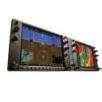
 I’ve been flying the Garmin G1000 platform since my first flight in 2006 and it seems that every time I fly, I discover some new feature or function.
In this post, I will attempt to summarize some tips/tricks. This is in no way a substitute for a checkout on the G1000 platform with a CFI. There are lots of great G1000 training courses out there which will help you learn much more about the system, but here are a few of my quick tips.
- Speed Tape – V Speeds are indicated vertically on the tape, but if you are slower than, say Vy, remember you need to lower the noise to increase speed not “pull up” to the Vy indicator on the display “tape”. On your first climb out in the G1000 you may experience exactly what I mean.

- Traffic Information Service – TIS takes some getting used to – don’t forget to keep your head outside looking for the traffic. It’s easy to get stuck with your eyes on the MFD looking at the traffic map — which is delayed by several seconds. In addition, the Garmin G1000 will tell you “traffic” (in your headset) when TIS is active, which, in my opinion, is very annoying generic. I’m hoping Garmin changes this in a future software release to, at least, add a direction. Something like: “traffic, two o’clock.”
- User Preferences – Make sure your expected alerts and preferences are where you want them before you taxi. For example, if you are VFR, make sure the last IFR pilot did not disable the airspace alerts. Use the profile feature to store “your” settings. This won’t stop someone from potentially overwriting your profile but it is a lot less likely than someone changing the defaults.

- GPS feed to Autopilot – Currently, only the GPS2 provides data to the autopilot . If you loose the GPS2 LRU, or the No2 Integrated Avionics Unit (IAU), don’t expect GPS NAV functions to work on your Autopilot.
- Backup Charts – Make sure you have paper charts and plates. The electronic databases in the G1000 don’t have all the info that the approach plates have. According to Garmin’s G1000 Instructor Reference: “As of June 2006, electronic charts cannot be used instead of paper charts.”


Update 05-31-2009: Per Eric’s comment, below, planes equipped with the Skywatch system will give you more detailed traffic information. I don’t have any experience in Skywatch equipped planes, so I don’t have any first hand experience, but check out Eric’s comment below for additional information. Thanks for the tip Eric!

Update 06-03-2009: Eric, from over at askacfi.com, did some additional digging on this (see comment section below), and it seems I had some bad information on this tip. My info was based on a comment by my CFII made on my original G1000 training in 2007 and notes I had from the King Schools G1000 course. Eric was very nice to ask a G1000 expert, Max Trescott, and confirmed that both GPSs feed the Autopilot, KAP140 or GFC700. I’ve rewritten tip #4 below. Thanks Eric!
4. Backup GPS feed to Autopilot – If you don’t check GPS2 manually during pre-flight checks, you won’t know that there’s a problem until GPS1 fails and you are left without any GPS NAV functions on your Autopilot.

What G1000 tips would you add?
To see all of my G1000 related posts click –> here.
#2 – if you have Skywatch installed, it gives full position reports: “traffic, two o’clock, high, three miles.” The only way to mute it is per-call. Skywatch picks up every transponder, including people holding short, which it considers a collision hazard as you’re on short final. I prefer the simple “traffic” call, and I think you would too if you were flying in something with more than TIS. 🙂
#4 – you may want to have your aircraft inspected! The #1 avionics unit is what drives your GPS navigation under all circumstances until #2 fails. If you don’t check #2 manually, you won’t know that there’s a problem. GPS 2 is currently out of service in one of our Skylanes, and the autopilot tracks GPS just fine.
Hi Eric! Thanks for stopping by and taking time to comment.
Re #2: Thanks for the info on Skywatch. I don’t have any experience with Skywatch equipped airplanes so that is good to know. I’ll modify the post with that information.
Re #4: This is interesting because I was told differently by my CFII when doing my G1000 checkout in a Cessna 172 with a G1000. Just to double-check, I loaded up the King Schools G1000 course, and they mentioned the same thing in Lesson 3. Martha King says on the video “…only GPS2 provides GPS navigation guidance to the autopilot. So if you loose GPS2 the only navigation source that the autopilot can use is VOR and ILS tracking.”
Perhaps the type of autopilot makes a difference. Maybe the KAP140 is different than the Garmin GFC 700. Does anyone else know?
I am flying a Cessna 172SP with G1000.
In item 3 above, “User Preferences” are discussed. It says “Use the profile feature to store “your” settings.”
How do you create profiles??
The Pilot Preferences should be on the MFD, on Aux page four. I’m taking a flight in a G1000 DA40XL tomorrow, I’ll check it out and make sure it’s there.